Everything
Every app in the Dock except the ones you keep — untick an app once and All Quiet remembers.

all quiet · for mac
All Quiet shows every app you have open and how much memory it holds. Press one button and they all close — the way ⌘Q does, so apps with unsaved work ask you first. Then: “Closed 14 apps, freed 6.2 GB”.
Free · Mac with Apple silicon, macOS 15 or later · lives in the menu bar · notarized by Apple
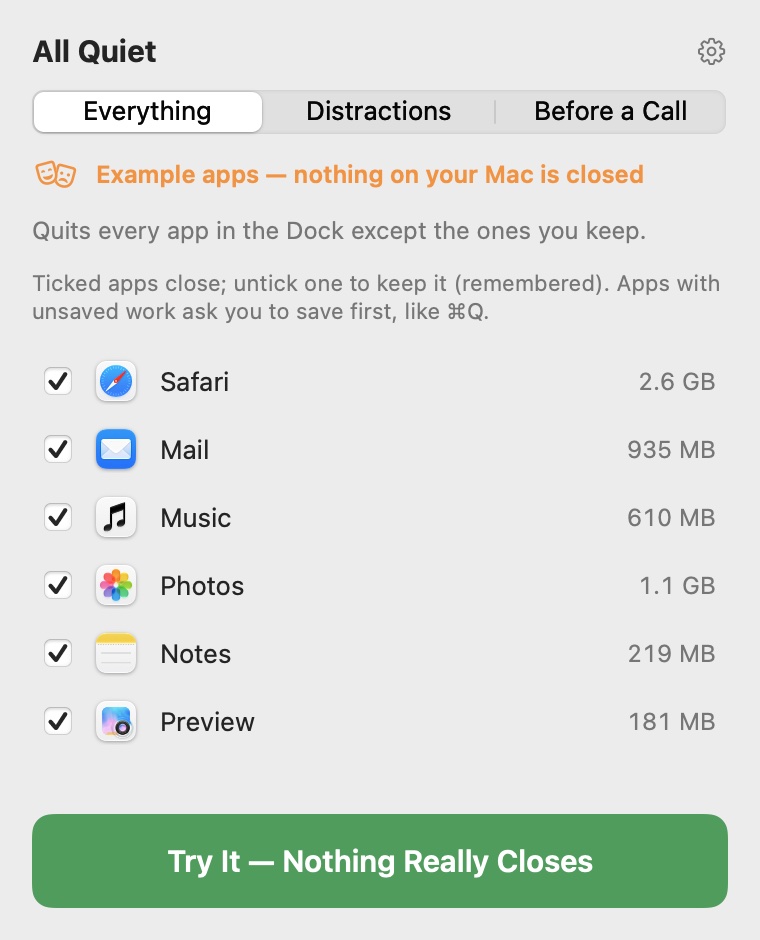
Every app in the Dock except the ones you keep — untick an app once and All Quiet remembers.
Games, video, music, social apps and messengers go; work stays open.
Everything closes except your call app and anything using the camera or microphone.
All Quiet does nothing until you click it — no timers, no watching. It collects nothing and only ever asks the internet whether there is a new version.
No. All Quiet closes apps the way ⌘Q does: an app with unsaved work asks you to save first, and you can cancel. Nothing is force-quit unless you choose Force Quit for an app that is stuck.
The way Activity Monitor does: each app together with its helper processes, so an app that runs many helpers shows its real weight.
Yes. Untick an app once and All Quiet remembers it. Distractions closes games, video, music, social apps and messengers and keeps your work; Before a Call keeps your call app and anything using the camera or microphone.
Click Reopen Them on the result and the apps you just closed open again.
No. All Quiet does nothing until you click its icon in the menu bar: no timers, no watching. It collects nothing.
Still Studio has the same Quit All in your MacBook’s notch, together with the camera and microphone light, a mirror, a shelf and small tools. All Quiet is just Quit All, in the menu bar. Both are free.